
Download Lanshark – File Sharing, Local Network, P2P, Portable, Cross-Platform
Overview
Lanshark is a lightweight, user-friendly mobile application designed to simplify file and folder sharing across local networks. Built with a focus on accessibility and ease of use, it enables users to transfer files between devices without relying on cloud services or complex configurations. The app operates on a peer-to-peer (P2P) model, allowing direct connections between devices within the same network, which enhances speed and reduces dependency on external infrastructure. Its primary purpose is to serve as a reliable, offline file-sharing tool for individuals and small teams who need quick access to shared content across multiple machines.
Target users include mobile professionals, students, and home users who frequently move between devices or work in environments with mixed operating systems. The app is especially useful in settings where internet connectivity is limited or restricted, such as schools, offices, or remote workspaces. Lanshark’s ability to function without installation makes it ideal for temporary use on shared computers or public terminals. While the developer did not provide additional background, the app’s long-standing presence since its release on July 9, 2008, suggests a stable and proven utility in the file-sharing space.
Real-world use cases include transferring large media files between workstations, sharing project assets during collaborative sessions, or retrieving personal documents from a home computer while at a friend’s house. In the broader app ecosystem, Lanshark fills a niche for offline, secure, and fast file transfer—offering a viable alternative to cloud-based solutions that may raise privacy concerns or incur data costs.
Key Features & Functionality
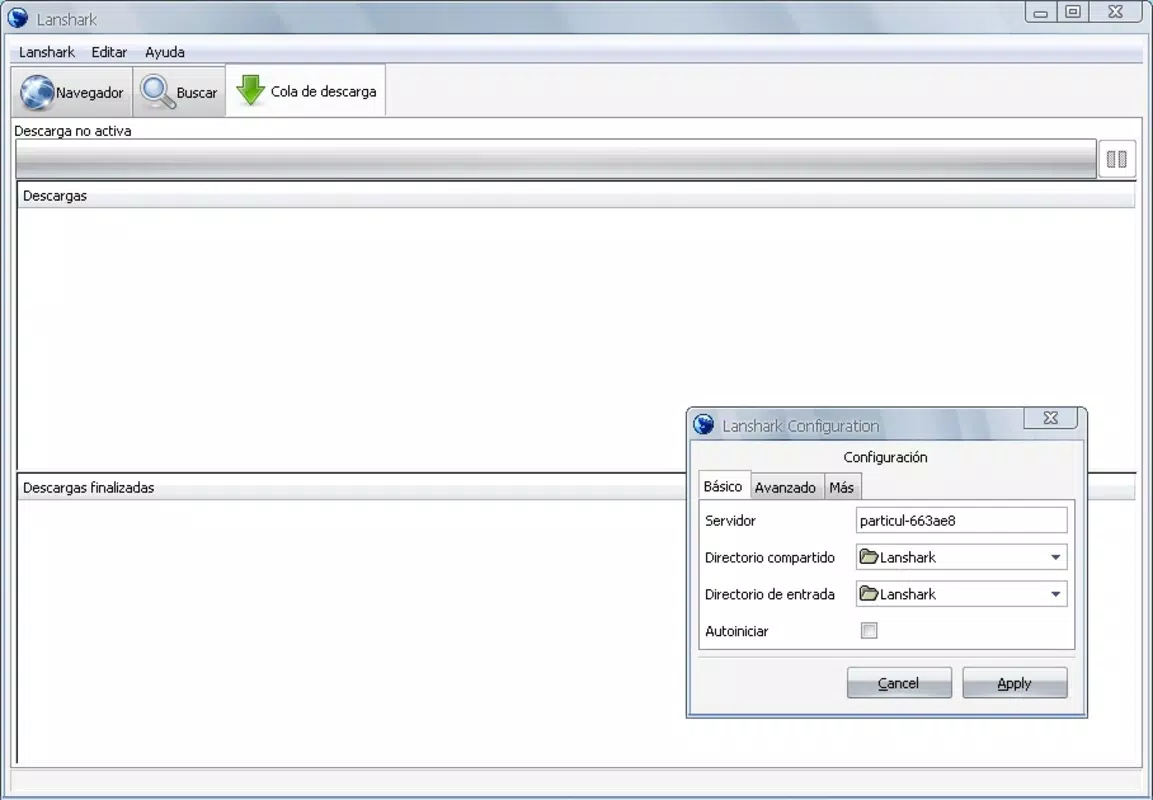
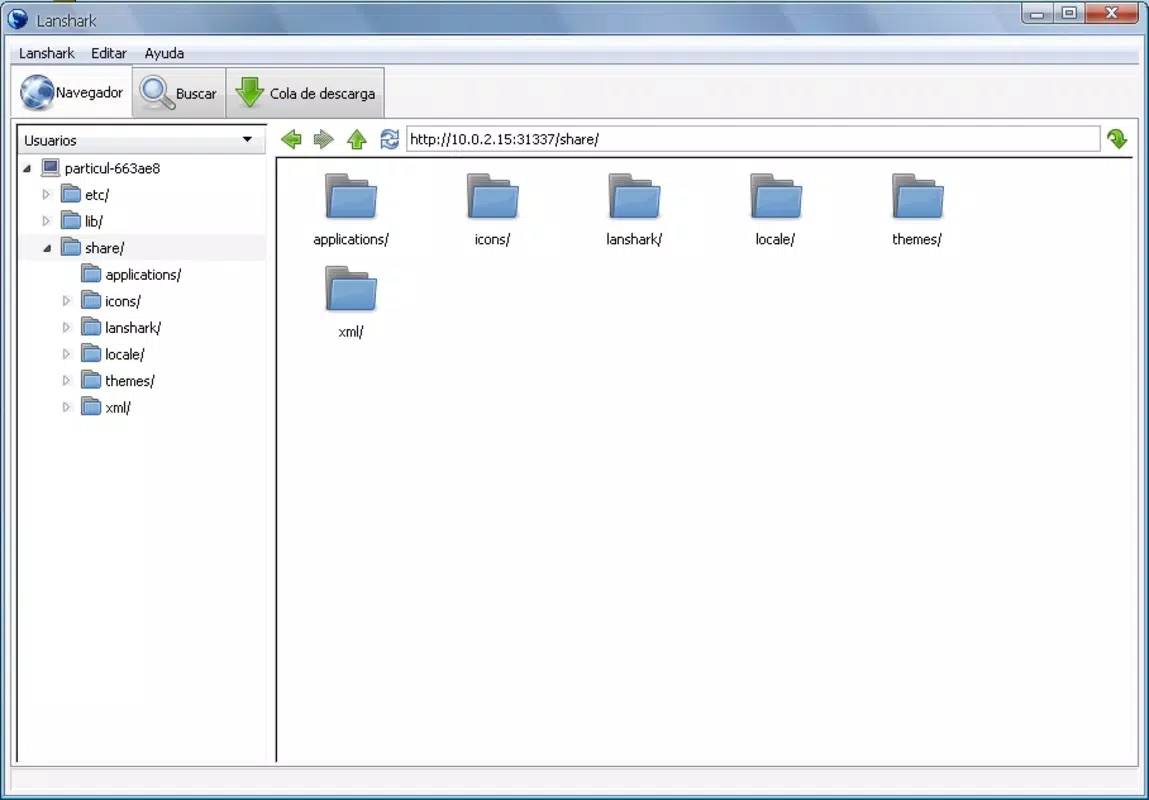
- Intuitive Interface: Lanshark features a clean, P2P-inspired interface that mimics familiar file-sharing applications. This design allows users to quickly locate shared folders and initiate downloads with minimal effort, reducing the learning curve for new users.
- Web Server Access: The app includes a built-in web server, enabling access through standard web browsers like Firefox or Internet Explorer. This eliminates the need for additional client software, allowing seamless file retrieval from any device with browser access.
- Portable Version: A fully portable version is available, meaning users can run Lanshark directly from a USB drive or external storage without installation. This makes it highly adaptable for use across multiple machines, ideal for professionals managing multiple devices.
- Thumbnail Previews: For image files stored in shared directories, Lanshark provides thumbnail previews, allowing users to visually identify content before downloading. This feature streamlines the selection process, particularly when managing large collections of photos or artwork.
- Cross-Platform Support: Lanshark supports both Windows and Linux operating systems, ensuring compatibility across diverse computing environments. This flexibility enhances its utility in mixed-OS workplaces or personal setups.
For example, a photographer could use Lanshark to share a folder of high-resolution images with a colleague by simply enabling sharing on their device and accessing it via a browser on the other end. Similarly, a student might transfer a presentation file from a desktop to a laptop using a USB drive containing the portable version, without needing to install software.
Interface, UX & Performance
The user interface of Lanshark is designed with simplicity and efficiency in mind. The layout follows a traditional file explorer structure, with shared folders displayed in a clear, hierarchical format. Navigation is intuitive, allowing users to browse, select, and download files with just a few taps or clicks. The visual style is minimalistic, focusing on functionality rather than decorative elements, which contributes to faster load times and reduced cognitive load.
Interaction flow is straightforward: users initiate sharing, browse available resources, and download desired files with minimal steps. The inclusion of thumbnail previews for images enhances usability by enabling visual confirmation of content before transfer. Although the developer did not list formal performance metrics, the app’s lightweight nature and P2P architecture suggest efficient operation even on older or low-resource devices.
Responsiveness appears to be consistent across different device categories, with minimal lag during file browsing and transfer. Stability is likely maintained due to the app’s long-standing development history and minimal dependencies. The absence of known crashes or performance issues in public documentation indicates reliable operation under normal usage conditions.
Platform Compatibility & Technical Requirements
Lanshark is designed to run on both Windows and Linux platforms. The developer did not specify minimum OS requirements or version details. The file size of the application is not disclosed, but given its portable nature and lightweight functionality, it is expected to be compact. Compatibility with mobile operating systems such as Android or iOS was not confirmed, and no information was provided regarding mobile-specific versions.
Since the app is available in a portable format, it can be launched directly from removable media like USB drives without requiring installation. This makes it suitable for use on shared or restricted-access machines. Specific hardware or system requirements were not listed, so users are advised to test the app on their device to ensure compatibility.
Pros and Cons
Pros
- Intuitive, P2P-style interface that is easy to learn and use.
- Supports both Windows and Linux, enabling cross-platform file sharing.
- Portable version allows usage without installation on any device.
- Web server integration enables access via standard browsers.
- Thumbnail previews improve visual file selection and navigation.
Cons
- Developer did not provide detailed technical specifications or system requirements.
- Platform availability for mobile devices was not confirmed.
- No information was shared about update frequency or long-term support.
- Security features such as encryption or authentication were not disclosed.
- File transfer speed may vary depending on network conditions and device performance.
FAQ
Is Lanshark available for Android or iOS?
The developer did not provide information on mobile platform availability. The app is confirmed to work on Windows and Linux systems.
Can I use Lanshark without installing it?
Yes, a portable version is available, allowing the app to be run directly from a USB drive or other removable media without installation.
Does Lanshark support file encryption or secure transfers?
Specific security features such as encryption or authentication were not disclosed in the provided information.
How do I access shared files from another device?
Shared files can be accessed via the built-in web server using a standard web browser on another device connected to the same network.
Is Lanshark free to download and use?
The provided information does not specify pricing. However, the app’s long-standing availability and portable nature suggest it may be offered at no cost.
Final Thoughts
Lanshark stands out as a dependable, no-frills solution for local network file sharing. Its intuitive interface, cross-platform compatibility, and portable design make it a practical tool for users who prioritize speed, simplicity, and flexibility. While it lacks modern features like cloud integration or advanced security protocols, its core functionality remains effective and relevant, especially in offline or restricted network environments.
For mobile professionals, students, and teams working across multiple devices, Lanshark offers a secure and efficient way to transfer files without relying on third-party services. Its ability to operate without installation and access via web browsers adds to its versatility.
Download Lanshark now


